
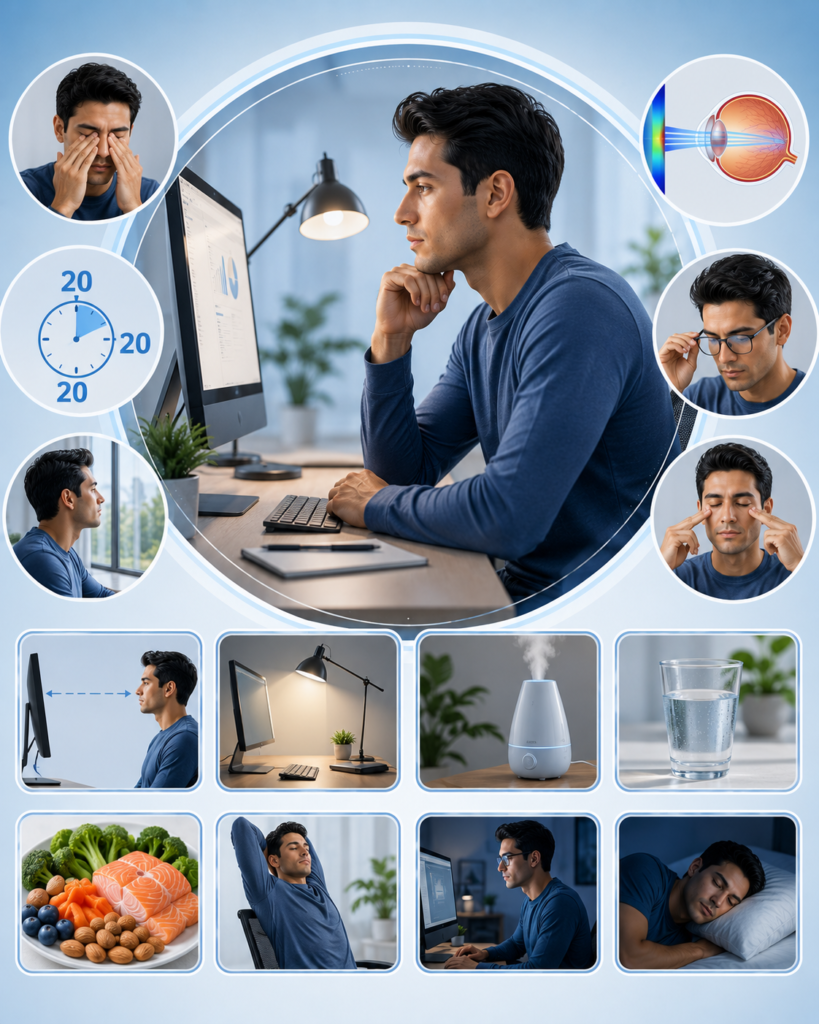
Eye Care Tips for Computer Users: A Complete Guide to Protecting Your Vision
In today’s digital world, many people spend several hours each day working on computers, smartphones, tablets, and other digital devices. Extended screen time can lead to eye discomfort, fatigue, and vision-related problems commonly referred to as digital eye strain or computer vision syndrome. Following proper eye care practices can help protect your vision and improve overall eye comfort. This comprehensive guide by MaduraiDoctors provides essential eye care tips for computer users.
What Is Digital Eye Strain?
Digital eye strain, also known as computer vision syndrome, refers to a group of eye and vision problems caused by prolonged use of digital screens. The condition can affect individuals of all ages who spend significant time using computers and electronic devices.
Although digital eye strain is usually temporary, repeated exposure without proper precautions may negatively affect eye comfort and productivity.
Common Symptoms of Digital Eye Strain
People who spend long hours using computers may experience:
- Eye fatigue
- Dry eyes
- Blurred vision
- Eye irritation
- Burning sensation
- Headaches
- Neck pain
- Shoulder pain
- Difficulty focusing
- Increased sensitivity to light
- Watery eyes
Symptoms often worsen after extended periods of screen use.
Why Do Computers Affect Eye Health?
Several factors contribute to eye strain during computer use.
Reduced Blinking
People tend to blink less frequently while looking at screens, which can lead to dry eyes and irritation.
Prolonged Focusing
Continuous focus on digital screens places additional strain on the eye muscles.
Screen Glare
Reflections and glare from screens can increase visual discomfort.
Improper Viewing Distance
Poor workstation setup may force the eyes to work harder.
Blue Light Exposure
Digital devices emit blue light, which may contribute to eye fatigue and disrupt sleep patterns when exposure occurs late in the evening.
Eye Care Tips for Computer Users
Follow the 20-20-20 Rule
One of the most effective ways to reduce eye strain is the 20-20-20 rule:
- Every 20 minutes
- Look at an object approximately 20 feet away
- For at least 20 seconds
This simple practice helps relax the eye muscles.
Blink More Frequently
Conscious blinking helps maintain moisture on the eye surface and reduces dryness.
Maintain Proper Screen Distance
Position your computer screen:
- About an arm’s length away
- Slightly below eye level
- At a comfortable viewing angle
Proper positioning helps reduce strain on both the eyes and neck.
Adjust Screen Brightness
The brightness of your screen should match the surrounding environment. Extremely bright or dim screens can increase eye fatigue.
Increase Text Size
Using larger fonts can reduce the effort required to read digital content.
Reduce Screen Glare
To minimize glare:
- Adjust room lighting
- Position screens away from direct light sources
- Use anti-glare screen protectors if necessary
Use Proper Lighting
A well-lit workspace helps reduce contrast and visual stress.
Take Regular Breaks
Frequent short breaks can help reduce eye strain and improve comfort during prolonged computer use.
Managing Dry Eyes During Screen Use
Dry eyes are common among computer users. To reduce dryness:
- Blink regularly
- Stay hydrated
- Use humidifiers when necessary
- Avoid direct airflow toward the eyes
- Follow medical advice if symptoms persist
Ergonomic Tips for Computer Users
Proper workstation ergonomics can reduce eye and body strain.
Maintain Good Posture
- Sit upright with back support
- Keep feet flat on the floor
- Relax shoulders
- Position elbows comfortably
Position the Monitor Correctly
The top of the monitor should be at or slightly below eye level.
Use an Adjustable Chair
A properly adjusted chair supports healthy posture and reduces muscle strain.
The Importance of Regular Eye Examinations
Routine eye examinations are essential, especially for individuals who spend many hours using digital devices.
Eye examinations can help:
- Detect vision problems
- Identify eye diseases early
- Determine if corrective lenses are needed
- Monitor overall eye health
Regular checkups become increasingly important with age.
Nutrition for Healthy Eyes
A balanced diet can support long-term eye health.
Foods that may benefit eye health include:
Green Leafy Vegetables
Examples include:
- Spinach
- Kale
- Other leafy greens
Fish Rich in Omega-3 Fatty Acids
Examples include:
- Salmon
- Sardines
- Mackerel
Fruits and Vegetables
Foods rich in vitamins and antioxidants help support healthy vision.
Nuts and Seeds
These provide nutrients important for eye function.
Protecting Your Eyes Outside of Computer Use
Good eye care extends beyond screen time.
Wear Sunglasses Outdoors
Protecting the eyes from ultraviolet radiation is important for long-term eye health.
Get Adequate Sleep
Sleep allows the eyes to recover and maintain proper function.
Avoid Smoking
Smoking increases the risk of several serious eye diseases.
Stay Physically Active
Regular exercise supports overall health, including eye health.
When Should You Consult an Eye Specialist?
Seek professional evaluation if you experience:
- Persistent blurred vision
- Severe eye pain
- Frequent headaches
- Double vision
- Sudden vision changes
- Chronic eye redness
- Persistent dry eyes
- Difficulty focusing
Early diagnosis and treatment can help prevent complications.
Can Digital Eye Strain Cause Permanent Vision Damage?
Current evidence suggests that digital eye strain itself does not typically cause permanent vision loss. However, prolonged screen use without proper eye care can significantly affect comfort, productivity, and quality of life. Adopting healthy screen habits can greatly reduce symptoms.
Conclusion
As digital devices become an essential part of everyday life, protecting eye health is increasingly important. Following healthy screen habits, maintaining proper ergonomics, taking regular breaks, and scheduling routine eye examinations can help reduce digital eye strain and support long-term vision health.
This comprehensive MaduraiDoctors eye care guide encourages computer users to prioritize eye health through preventive care and healthy lifestyle practices. If you experience persistent eye discomfort or vision problems, consult a qualified eye care professional for proper evaluation and treatment.